


Case Study


Back to home
WizzardDice
Smart 20‑sided dice with connected mobile app and videogame integration
Role
UX Designer & UI Lead
Duration
6 months
Platforms
iOS, Android, Game UI
Status
Alpha delivered
A hardware‑software product that needed design coherence
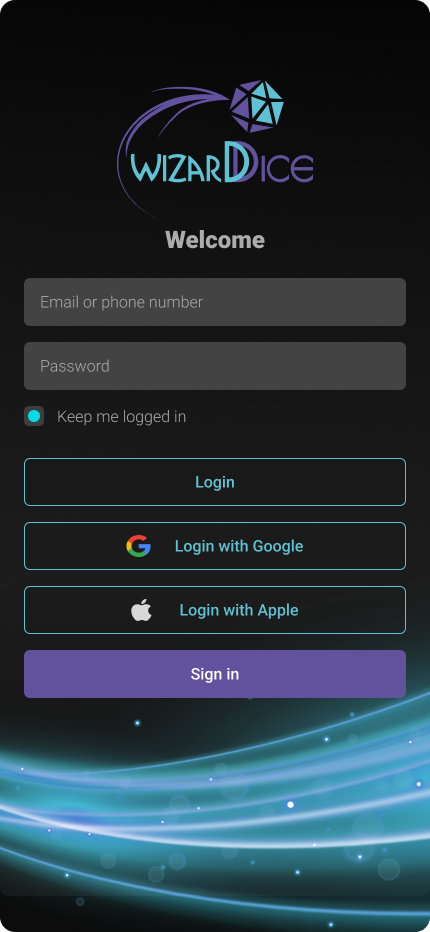
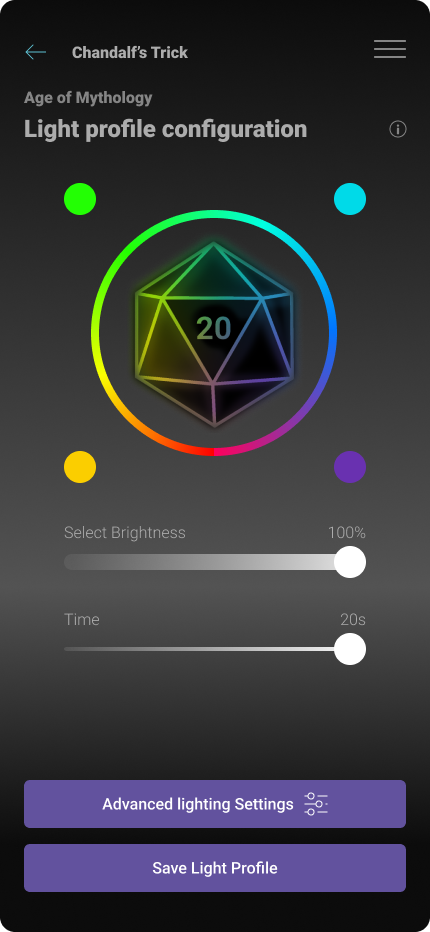
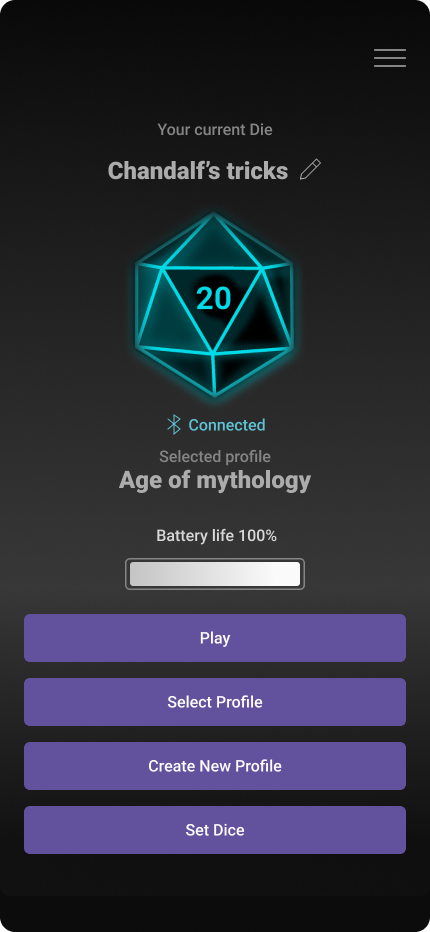
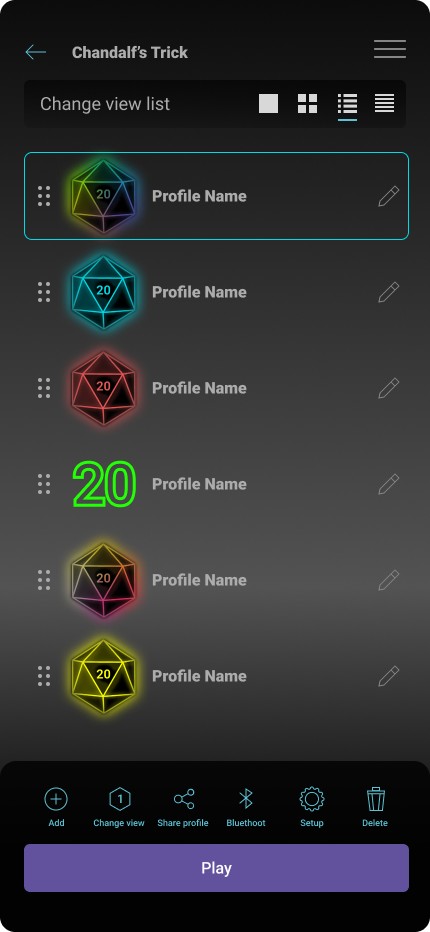
WizzardDice combined Bluetooth-enabled smart dice hardware with a companion mobile app and videogame UI. The product allowed tabletop game players to track rolls digitally and integrate physical dice with digital gameplay.
The project had a complex history: multiple designers, technical constraints from firmware and hardware limitations, and team changes due to external circumstances. The design needed to be unified, technically feasible, and ready for development handoff.
THE CHALLENGE
Inconsistent UX and unrealistic design expectations
1
Design inconsistency
Multiple designers had contributed without a unified system. Navigation patterns, component libraries, and user flows were fragmented across platforms.
2
Technical feasibility gaps
Many features in the existing design were not implementable due to Bluetooth protocol limits, firmware constraints, and hardware behavior (connection stability, number of dice supported).
3
Heavy 3D UI
Original designs included complex 3D interface elements that would significantly increase development time and cost without clear user value.
4
Lack of documentation
Figma files were unstructured, with no handoff-ready specs, component libraries, or documented design decisions.
MY ROLE
From UI support to UX ownership
→
Initially joined as UI support to assist with visual design refinements.
→
Took over UX and UI ownership when the product designer left and the Ukrainian design team could no longer continue due to the war.
→
Coordinated directly with developers and hardware engineers to understand technical constraints and align design with firmware capabilities.
→
Responsible for full UX audit, redesign, and documentation across mobile app and game UI.
Turning Point
Realizing the design did not match technical reality
After discussions with the hardware and firmware teams, it became clear that many of the designed features could not be implemented. Bluetooth connection behavior, dice pairing limits, and battery constraints made portions of the original UX impossible. I led a full audit to identify what was feasible, redesigned flows around real limitations, and simplified the UI to focus on core functionality.
PROCESS
Applied the DIGNO™ methodology
Diagnosis
Audit existing design and technical constraints
•
Conducted full UX audit of existing mobile app and game UI designs
•
Documented inconsistencies in navigation, component usage, and interaction patterns
•
Interviewed developers and hardware engineers to map technical limitations
•
Identified features that could not be supported by firmware or Bluetooth protocol
Ideation
Define realistic flows and simplified UI principles
•
Redesigned navigation to align with hardware constraints (dice pairing, connection states)
•
Simplified 3D UI elements to 2D where they did not add functional value
•
Created user flows that matched Bluetooth behavior (connection, disconnection, battery state)
•
Prioritized features that could be delivered within firmware and budget limits
Generation
Produce redesigned screens and components
•
Redesigned all mobile app screens (onboarding, pairing, configuration, game integration)
•
Created game UI screens adapted to simplified interaction model
•
Designed component library with consistent patterns across iOS, Android, and game UI
•
Built prototypes to validate flows with the development team
Normalization
Organize files and create handoff documentation
•
Restructured Figma files with proper naming conventions and component hierarchy
•
Created design system documentation for developers (spacing, typography, states, behavior)
•
Documented edge cases and error states (connection failures, battery warnings, dice limits)
•
Prepared handoff specs for iOS, Android, and game development teams
Optimization
Iterate based on development feedback
•
Adjusted designs during development as new hardware behaviors were discovered
•
Refined configuration flows to reduce cognitive load and simplify pairing steps
•
Optimized UI performance by removing unnecessary animations and simplifying visual hierarchy
•
Validated final implementation against original design intent and user goals
CONSTRAINS
Designing within hardware and team limitations
Bluetooth & Firmware
Limited number of simultaneous dice connections, unstable pairing behavior, battery state reporting constraints, and firmware update limitations.
Development Budget
Heavy 3D UI would have required additional months of development. Design was simplified to 2D where 3D did not add functional value.
Team Continuity
Multiple designer transitions and external disruptions required ownership consolidation and clear documentation for handoff stability.
Outcome
Alpha delivered with working app, hardware, and game integration
What was delivered
✓
Fully functional mobile app (iOS & Android) with redesigned UX
✓
Working hardware prototype with firmware integration
✓
Alpha version of videogame UI with dice integration
✓
Structured Figma files with component library and handoff specs
✓
Design documentation covering flows, edge cases, and technical constraints
Why it was not released
The product reached alpha stage with all core functionality working. However, it was not commercially released due to funding limitations.
The design work ensured that the product was technically viable, user-centered, and ready for market if funding became available.
WHAT THIS PROJECT SHOWS
Capability to take ownership in complex, constrained environments
Adaptability
Transitioned from UI support to full UX ownership when the project circumstances changed. Took responsibility for areas outside initial scope.
Technical collaboration
Worked directly with hardware and firmware engineers to understand constraints and design realistic solutions that matched technical reality.
System thinking
Unified fragmented design work from multiple contributors into a coherent, documented system ready for handoff and development.
Pragmatic simplification
Reduced design complexity where it did not serve user needs or technical feasibility, focusing effort on deliverable, functional solutions.
Interested in working together?
Schedule an appointment


Method
About
Services
Book an appointment
Contact me
Case Study

Back to home
WizzardDice
Smart 20‑sided dice with connected mobile app and videogame integration
Role
UX Designer & UI Lead
Duration
6 months
Platforms
iOS, Android, Game UI
Status
Alpha delivered
A hardware‑software product that needed design coherence
WizzardDice combined Bluetooth-enabled smart dice hardware with a companion mobile app and videogame UI. The product allowed tabletop game players to track rolls digitally and integrate physical dice with digital gameplay.
The project had a complex history: multiple designers, technical constraints from firmware and hardware limitations, and team changes due to external circumstances. The design needed to be unified, technically feasible, and ready for development handoff.
THE CHALLENGE
Inconsistent UX and unrealistic design expectations
1
Design inconsistency
Multiple designers had contributed without a unified system. Navigation patterns, component libraries, and user flows were fragmented across platforms.
2
Technical feasibility gaps
Many features in the existing design were not implementable due to Bluetooth protocol limits, firmware constraints, and hardware behavior (connection stability, number of dice supported).
3
Heavy 3D UI
Original designs included complex 3D interface elements that would significantly increase development time and cost without clear user value.
4
Lack of documentation
Figma files were unstructured, with no handoff-ready specs, component libraries, or documented design decisions.
MY ROLE
From UI support to UX ownership
→
Initially joined as UI support to assist with visual design refinements.
→
Took over UX and UI ownership when the product designer left and the Ukrainian design team could no longer continue due to the war.
→
Coordinated directly with developers and hardware engineers to understand technical constraints and align design with firmware capabilities.
→
Responsible for full UX audit, redesign, and documentation across mobile app and game UI.
Turning Point
Realizing the design did not match technical reality
After discussions with the hardware and firmware teams, it became clear that many of the designed features could not be implemented. Bluetooth connection behavior, dice pairing limits, and battery constraints made portions of the original UX impossible. I led a full audit to identify what was feasible, redesigned flows around real limitations, and simplified the UI to focus on core functionality.
PROCESS
Applied the DIGNO™ methodology
Diagnosis
Audit existing design and technical constraints
•
Conducted full UX audit of existing mobile app and game UI designs
•
Documented inconsistencies in navigation, component usage, and interaction patterns
•
Interviewed developers and hardware engineers to map technical limitations
•
Identified features that could not be supported by firmware or Bluetooth protocol
Ideation
Define realistic flows and simplified UI principles
•
Redesigned navigation to align with hardware constraints (dice pairing, connection states)
•
Simplified 3D UI elements to 2D where they did not add functional value
•
Created user flows that matched Bluetooth behavior (connection, disconnection, battery state)
•
Prioritized features that could be delivered within firmware and budget limits
Generation
Produce redesigned screens and components
•
Redesigned all mobile app screens (onboarding, pairing, configuration, game integration)
•
Created game UI screens adapted to simplified interaction model
•
Designed component library with consistent patterns across iOS, Android, and game UI
•
Built prototypes to validate flows with the development team
Normalization
Organize files and create handoff documentation
•
Restructured Figma files with proper naming conventions and component hierarchy
•
Created design system documentation for developers (spacing, typography, states, behavior)
•
Documented edge cases and error states (connection failures, battery warnings, dice limits)
•
Prepared handoff specs for iOS, Android, and game development teams
Optimization
Iterate based on development feedback
•
Adjusted designs during development as new hardware behaviors were discovered
•
Refined configuration flows to reduce cognitive load and simplify pairing steps
•
Optimized UI performance by removing unnecessary animations and simplifying visual hierarchy
•
Validated final implementation against original design intent and user goals
CONSTRAINS
Designing within hardware and team limitations
Bluetooth & Firmware
Limited number of simultaneous dice connections, unstable pairing behavior, battery state reporting constraints, and firmware update limitations.
Development Budget
Heavy 3D UI would have required additional months of development. Design was simplified to 2D where 3D did not add functional value.
Team Continuity
Multiple designer transitions and external disruptions required ownership consolidation and clear documentation for handoff stability.
Outcome
Alpha delivered with working app, hardware, and game integration
What was delivered
✓
Fully functional mobile app (iOS & Android) with redesigned UX
✓
Working hardware prototype with firmware integration
✓
Alpha version of videogame UI with dice integration
✓
Structured Figma files with component library and handoff specs
✓
Design documentation covering flows, edge cases, and technical constraints
Why it was not released
The product reached alpha stage with all core functionality working. However, it was not commercially released due to funding limitations.
The design work ensured that the product was technically viable, user-centered, and ready for market if funding became available.
WHAT THIS PROJECT SHOWS
Capability to take ownership in complex, constrained environments
Adaptability
Transitioned from UI support to full UX ownership when the project circumstances changed. Took responsibility for areas outside initial scope.
Technical collaboration
Worked directly with hardware and firmware engineers to understand constraints and design realistic solutions that matched technical reality.
System thinking
Unified fragmented design work from multiple contributors into a coherent, documented system ready for handoff and development.
Pragmatic simplification
Reduced design complexity where it did not serve user needs or technical feasibility, focusing effort on deliverable, functional solutions.
Interested in working together?
Schedule an appointment